Introduction
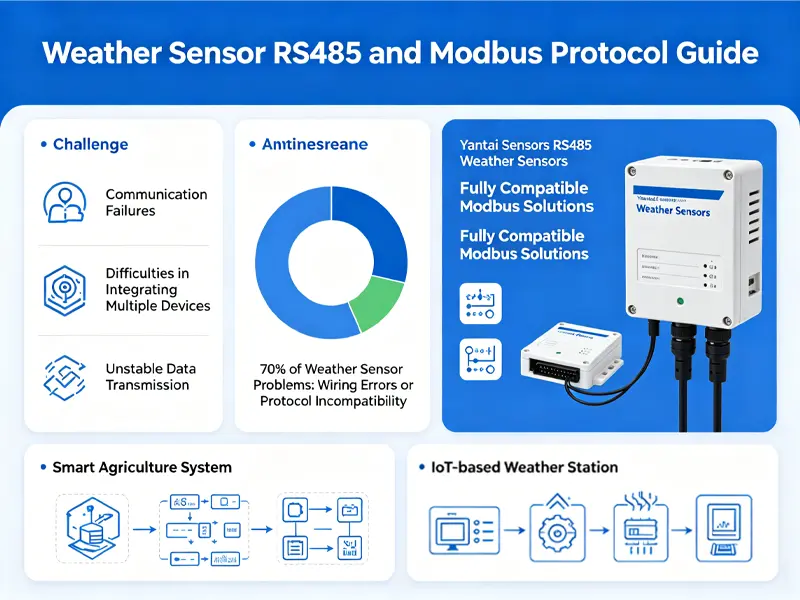
In many industrial monitoring projects, communication failures, difficult multi-device integration, and unstable data transmission are common challenges. In fact, over 70% of weather sensor issues are related to incorrect wiring or incompatible protocols. This Guide to RS485 & Modbus Protocols for Weather Sensors helps you understand how to solve these problems efficiently. At Yantai Sensor, we provide reliable RS485 weather sensors and fully compatible Modbus solutions to ensure stable, long-distance communication. Whether you are building a smart agriculture system or an IoT-based weather station, we help you achieve seamless integration, accurate data acquisition, and long-term system reliability.
How Modbus RTU Communication Works
RS485 communication is an industrial serial communication standard designed for reliable data transmission in harsh environments, especially in sensor and automation systems. It is widely used in RS485 communication networks because it supports long-distance transmission up to 1200 meters, offers strong resistance to electromagnetic interference, and allows multiple devices to share the same bus with up to 32+ nodes. These features make it a core technology in modern RS485 sensor network applications, such as weather monitoring and industrial data collection systems.
What is RS-485 Communication?
RS485 is an industrial serial communication standard widely used in sensor networks due to its strong anti-interference capability, long-distance transmission up to 1200 meters, and support for multi-device bus connections with 32+ nodes, making it ideal for stable and reliable RS485 communication in weather sensor systems and large-scale RS485 sensor networks.
What Is Modbus Protocol?
Modbus protocol is a widely used master-slave industrial communication protocol designed for reliable and simple data exchange between devices in automation systems. It plays a key role in Modbus protocol applications for weather sensors and industrial monitoring. The two main types are Modbus RTU, the most commonly used serial communication format for RS485 networks, and Modbus TCP, which operates over Ethernet for faster and more flexible system integration. Understanding Modbus RTU vs TCP helps you choose the right solution for your weather monitoring or IoT system.

RS485 vs Modbus difference
RS485 and Modbus are often used together in weather sensor systems, but they serve different roles in industrial communication. Understanding the difference helps you design more stable and efficient data networks.
| Item | RS485 | Modbus |
|---|---|---|
| Type | Physical layer standard | Communication protocol |
| Function | Data transmission | Data interpretation and structuring |
| Is it required? | Required for wiring and signal transport | Optional but commonly used on top of RS485 |
| Application | Hardware-level connection between devices | Data exchange between master and slave devices |
The key takeaway in the RS-485 vs Modbus difference is that RS-485 handles how data is physically transmitted, while Modbus defines how that data is organized and understood between devices.
Why Weather Sensors Use RS485 & Modbus
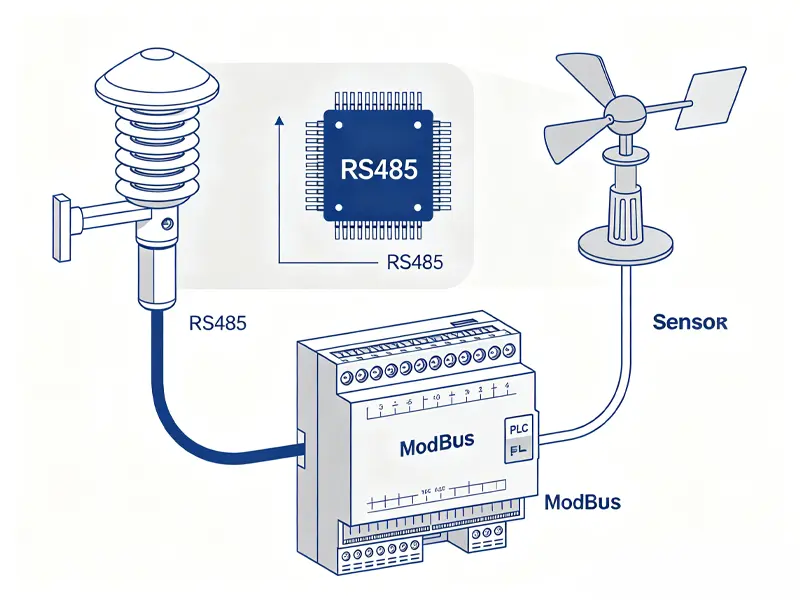
Weather sensors rely on RS485 and Modbus because industrial monitoring systems require stable, long-distance, and interference-resistant communication. RS485 provides the physical layer for reliable data transmission, while Modbus enables structured and standardized data exchange across multiple devices. This combination is widely adopted in weather station communication protocol design to support multi-sensor networking, long-range environmental monitoring, and high-accuracy data acquisition in demanding conditions. As a result, industrial weather sensors using RS485 and Modbus are commonly deployed in agricultural meteorological stations, smart city infrastructure, greenhouse climate control systems, and photovoltaic weather monitoring projects.
How RS485 Wiring Works in Weather Sensors
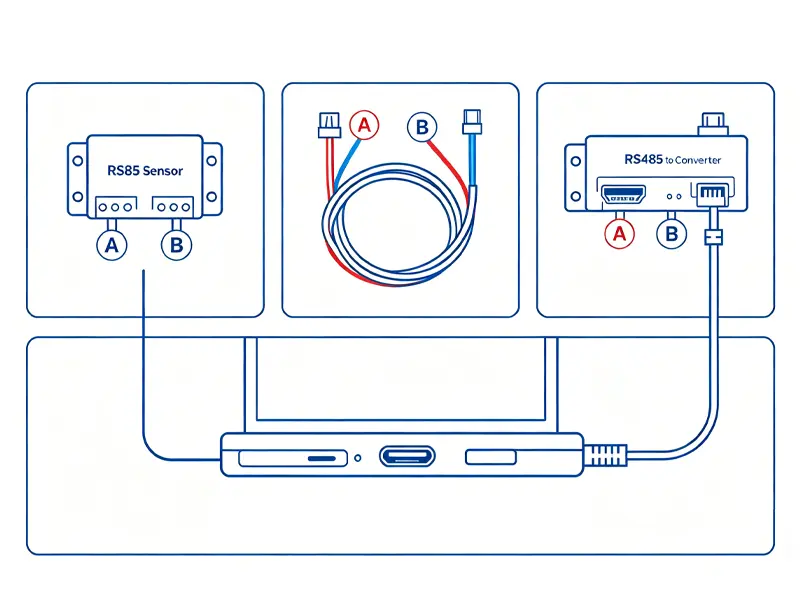
RS485 wiring in weather sensors is based on a differential signal system using two lines, A and B, which ensures stable and noise-resistant communication in industrial environments. In a typical RS485 wiring diagram, devices are connected in a daisy-chain or bus structure rather than star wiring, allowing multiple sensors to share the same communication line efficiently. To maintain signal integrity, a 120Ω termination resistor is usually installed at both ends of the network to prevent signal reflection and data loss. This proper RS485 connection weather sensor setup is essential for achieving reliable long-distance data transmission and stable multi-sensor performance in outdoor monitoring systems.
How Modbus RTU Communication Works
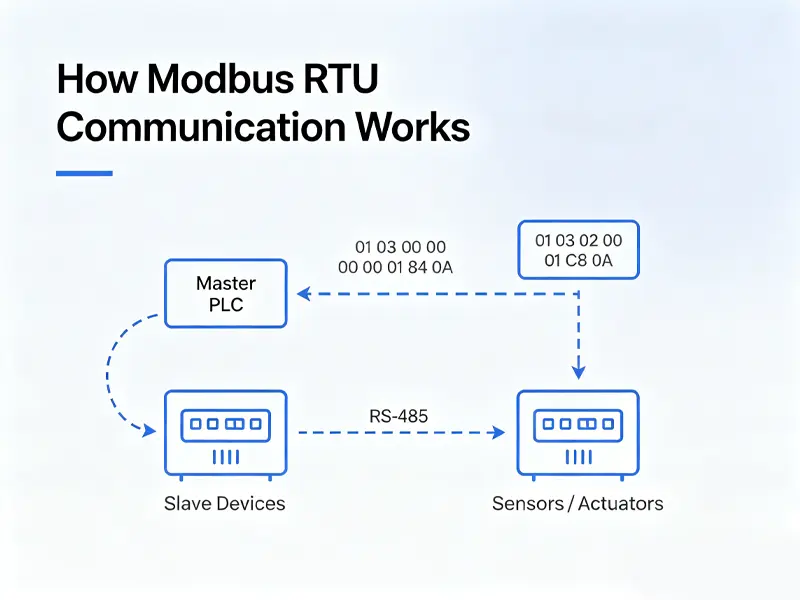
Modbus RTU communication is a widely used serial protocol where a master device controls one or multiple slave devices in a structured and reliable data exchange system. In a typical Modbus RTU communication example, the master sends a request, and the slave responds with the required sensor data. The communication is organized into a standard Modbus data frame, which includes the device address, function code, data field, and CRC checksum for error detection. This structured frame ensures accurate and stable data transmission, making Modbus RTU ideal for RS485-based weather sensor networks and industrial monitoring applications.
Modbus Register Mapping for Weather Sensors
| Register Address | Parameter | Data Type | Unit | Scaling | R/W |
|---|---|---|---|---|---|
| 40001 | Air Temperature | int16 | °C | ×10 | R |
| 40002 | Relative Humidity | uint16 | %RH | ×10 | R |
| 40003 | Atmospheric Pressure | uint16 | hPa | ×10 | R |
| 40004 | Dew Point Temperature | int16 | °C | ×10 | R |
| 40005 | Instant Wind Speed | uint16 | m/s | ×10 | R |
| 40006 | Wind Direction | uint16 | ° | ×1 | R |
| 40007 | 10min Average Wind Speed | uint16 | m/s | ×10 | R |
| 40008 | Total Solar Radiation | uint16 | W/m² | ×1 | R |
| 40009 | Accumulated Rainfall | uint16 | mm | ×1 | R |
| 40010 | Device Status | uint16 | – | ×1 | R |
| 40011 | Slave Address | uint16 | – | ×1 | R/W |
| 40012 | Baud Rate Setting | uint16 | – | ×1 | R/W |
Register addresses follow the 1-based 4xxxx holding register format; register offset = address – 40001. All data types use big-endian byte order by default; int16 = signed 16-bit integer, uint16 = unsigned 16-bit integer. Actual physical value = raw register value ÷ scaling factor. R = Read-only, R/W = Read/Write configurable. Supplementary definitions:
- Wind direction: 0° = North, 90° = East, 180° = South, 270° = West
- Device Status: 0 = Normal, 1 = Fault
- Baud Rate: 0 = 9600bps, 1 = 19200bps
How to Connect RS485 Sensors to PLC / IoT Systems
Connecting RS485 weather sensors to PLC or IoT systems is a common industrial integration method for centralized data monitoring and control. In a typical setup, RS485 sensors communicate directly with a PLC using Modbus RTU, allowing real-time data acquisition from multiple field devices. When additional scalability is required, a data acquisition module or IoT gateway is used to convert RS485 signals into Ethernet or cloud-ready formats. This enables seamless integration with SCADA systems as well as cloud platforms such as AWS IoT and Azure IoT, making it easier to build scalable and intelligent weather monitoring networks for industrial and smart city applications.
Common RS485 & Modbus Issues and Solutions
In real-world RS485 communication and Modbus-based weather sensor systems, a few common issues often affect data stability and system performance. Most problems are not caused by the sensors themselves, but by wiring, configuration, or environmental interference. The table below summarizes typical faults and their practical solutions to help you quickly troubleshoot RS485 connection weather sensor systems.
| Problem | Cause | Solution |
|---|---|---|
| No communication | Incorrect A/B wiring or reversed polarity | Check and correctly connect A/B lines |
| Data abnormal | Baud rate or protocol mismatch | Ensure all devices use the same configuration |
| Packet loss | Electromagnetic interference or poor shielding | Use shielded cables and proper grounding |
RS485 vs Wireless Weather Sensors
When comparing RS485 weather sensors and wireless weather sensors, the right choice depends on your application requirements, installation environment, and long-term maintenance expectations. RS485 systems are widely used in industrial monitoring due to their high stability, low cost, and low maintenance needs, especially in fixed installations like weather stations and agriculture systems. In contrast, wireless solutions offer easier installation but may face limitations in stability and higher operational costs. The comparison below helps you evaluate both options for your industrial weather sensors deployment.
| Type | RS485 | Wireless |
|---|---|---|
| Stability | High | Medium |
| Cost | Low | High |
| Maintenance | Low | High |
How to Choose the Right RS485 Weather Sensor
Choosing the right RS485 weather sensor depends on key performance factors that directly affect data accuracy and system reliability. First, consider measurement accuracy, as high-precision sensors ensure reliable environmental monitoring. Second, check the protection rating, such as IP65 or IP67, which determines whether the device can withstand harsh outdoor conditions like rain, dust, or humidity. Finally, ensure strong protocol compatibility, especially support for Modbus RTU, to guarantee seamless integration with your control or IoT system. If you plan to buy an RS-485 weather sensor, working with a reliable industrial weather sensor supplier ensures better long-term stability and technical support.
Conclusion
RS485 serves as the foundation for stable long-distance data transmission, while Modbus acts as the language that structures and interprets sensor data. Together, RS485 and Modbus form a widely adopted industrial standard solution for modern weather monitoring systems, ensuring reliable communication, easy integration, and scalable deployment across various applications.
If you are planning a weather monitoring or IoT project and need help with RS485/Modbus sensor selection, installation, or configuration, feel free to contact us for technical support and customized solutions.